Requested window ≠ booked visit
Keep the customer’s requested dates separate from the crew appointment. Scheduling outside the requested window calls for an explicit override, so the exception is a deliberate decision.
Built for sign & print teams
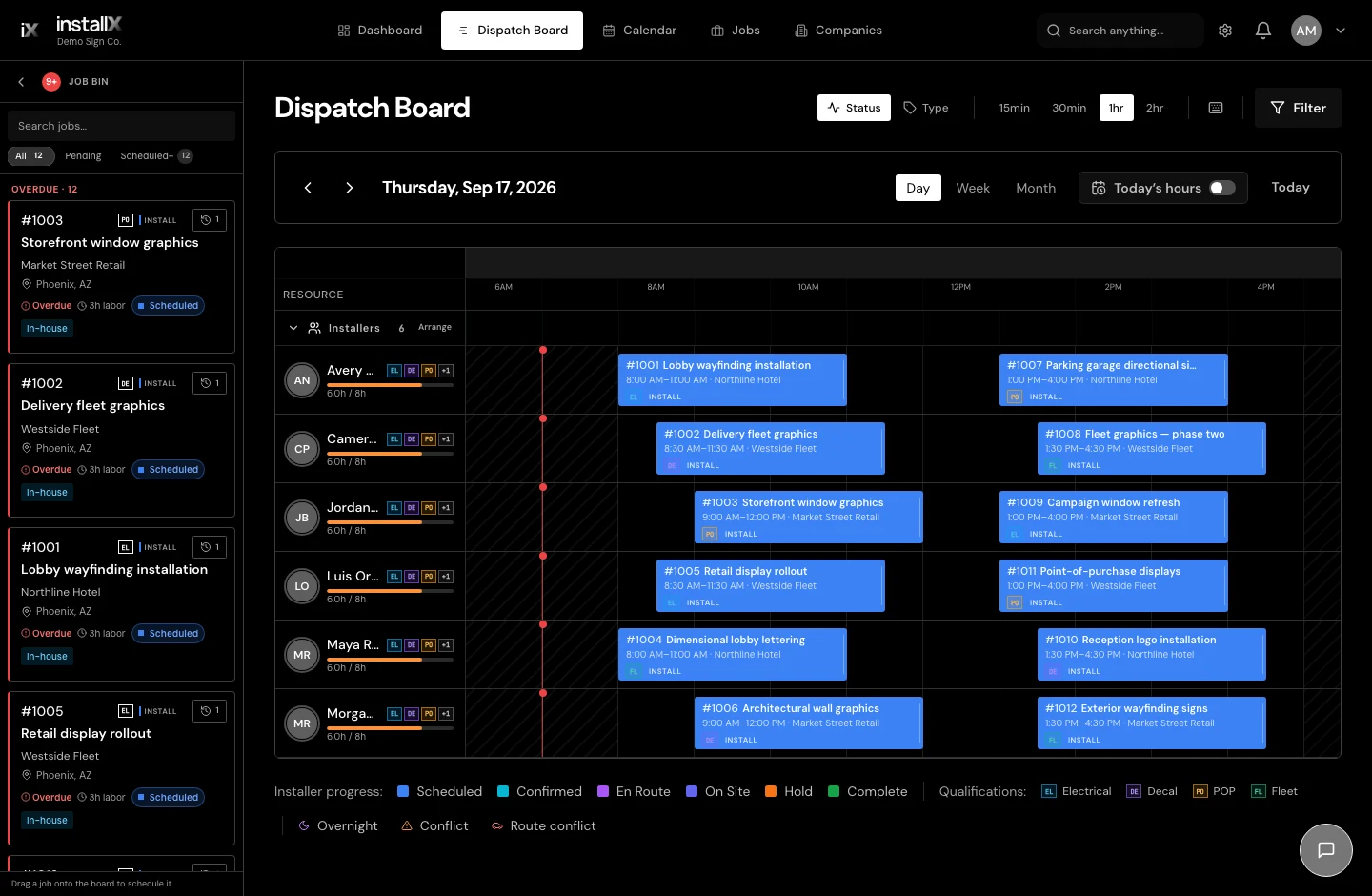
A sign installation needs a time, a crew, and often a lift. InstallX brings them together on a visual dispatch board, with the job details close at hand when the plan changes.
Preparing for early access. Join the interest list to hear when access opens.
How it works
Plan installation work for your sign or print company around the people and equipment doing it. Keep the customer’s requested window alongside the actual appointment.
Search and filter the Job Bin beside your dispatch timeline. Find the installation you need to schedule, review its details, and drag it onto the board. Waiting jobs stay visible alongside work that is already booked.
Assign multiple installers to the visit and reserve the equipment it needs. Working hours, availability exceptions, and qualification guidance give the dispatcher context. Overlap checks help flag conflicting bookings.
Move time blocks as the day develops, opening the job from the board when you need more context. Connected office screens receive updates as installers report progress. If another visit is needed, the crew can send the work back for planning with an explanation.
Example · storefront installation
A two-person crew is due at a storefront, but the customer needs to move the visit. Another installation could use the opening.
Review the requested installation window, move the visit, and check the associated crew and equipment bookings. Use the Job Bin to find work that fits the opening.
The office can review the revised plan in dispatch, while installers see their assigned work in the mobile workspace when connected.
Keep the customer’s requested dates separate from the crew appointment. Scheduling outside the requested window calls for an explicit override, so the exception is a deliberate decision.
Use dispatch for internal crew assignments and the subcontract planner for outside visits. Review both types of scheduled work together in the calendar.
Group related jobs under a project while giving each installation its own crew, files, and schedule. A multi-site rollout can stay connected without losing the details of each visit.
A few practical answers
Yes. Assign multiple installers to a visit and manage the crew together. Shared crew actions let the office choose which assignments an update should affect.
Yes. Equipment can be scheduled against an installer’s visit and shown on dedicated dispatch rows. Overlap checks help you review competing bookings for the same asset.
Record the requested installation window on the job, then book the crew’s actual visit. Subcontract visits can also use date ranges with optional exact times.
The installer can record that another visit is needed and explain why. The work returns to the Job Bin so the office can plan the follow-up with that context.
See it in context
Get started
Tell us about your team. We’ll contact you when access opens.